


Dashcam Status LEDs
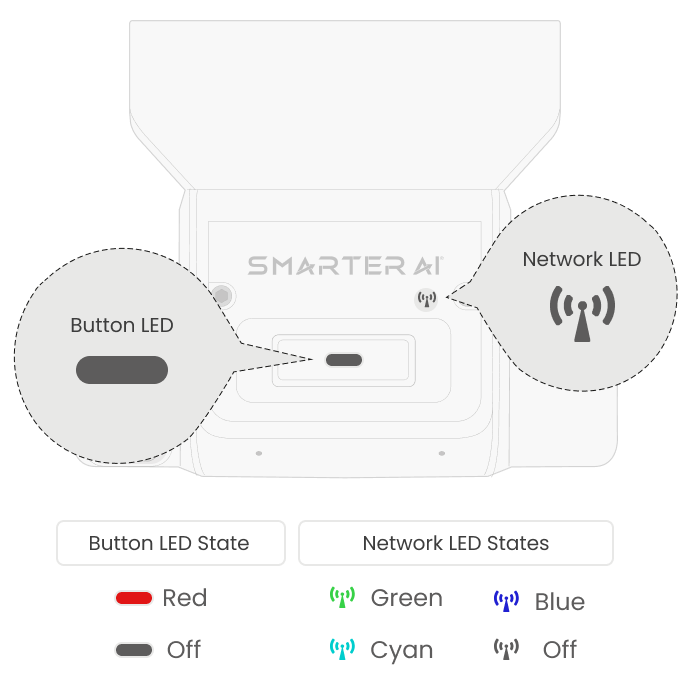
The Smarter AI dashcam has 2 status LEDs on it, one on the physical button and another indicator LED to denote a wireless connection. A combination of the colors of these 2 status LEDs denotes different states that the dashcam is in, which are as follows:
| Device State | Button LED | Network LED |
|---|---|---|
| Boot Sequence | OFF | Solid Cyan |
| Low or No Network Connectivity | Slow Blinking Red | OFF or Blinking Blue |
| Connected & Active | OFF | Solid Green |
| Parking Mode | OFF | Slow Blinking Blue |
-
The dashcam is in its boot sequence. Wait approximately 30 seconds for the startup to finish.
-
A solid green network LED (with the button LED off) means the dashcam is online and recording.
-
When the dashcam is in parking mode, the button LED turns off and the network LED slowly blinks blue. The dashcam wakes up automatically upon movement.